Built for drivers and businesses

Your Tesla
Is Your Admin Assistant

Automatic Tesla logbook & expense tracker that works for you.

Remove the tax time stress

Your logbook is in its FSD era (unsupervised)

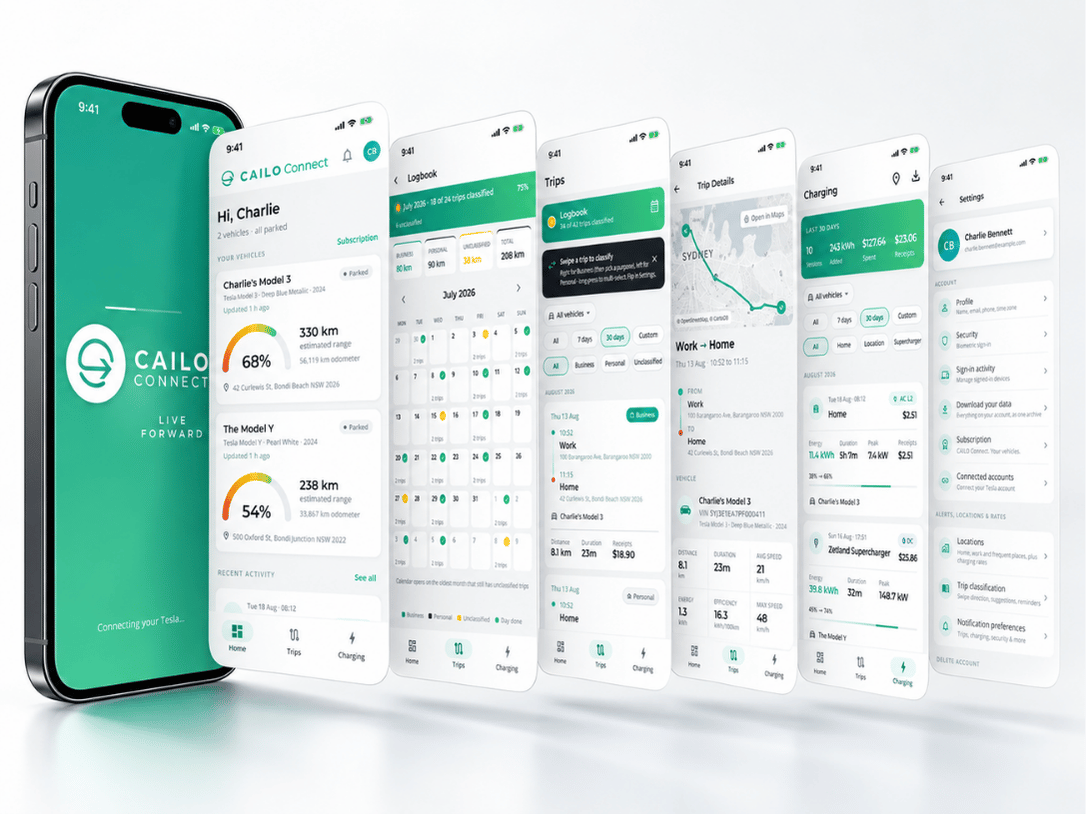
No more tax time scrambles or relying on cents-per-km method. CAILO Connect gives you the records the ATO asks for, with every trip logged and saved locations automatically classified with business purpose and tags forever. Export a PDF or spreadsheet for any period you’re asked for, in formats your tax accountant can actually open and use. Other features include:

  • Set trip and charging value rates for financial tracking
  • Set and forget friendly names for frequent locations
  • Saved locations are automatically classified
  • Business purposes saved for quick classifications
  • Trip tagging for easy filtering and identification
  • Capture receipts and other costs alongside trips/charging
  • Everything in one tidy export to share with your accountant
  • Manage a small Tesla fleet? CAILO Connect has the solution

CAILO and its affiliates are not a registered tax agent. Before relying on any information for a claim or return, seek advice from a registered tax agent.

Charging Costs Now Visible

Home charging hides in your power bill

Not anymore. CAILO Connect captures every charging session at home, at work, and on the road. Energy usage, charging speed, and session costs all flow into your dashboard, so everything is in one tidy export to share with your accountant. Home charging stops disappearing into your power bill and becomes a separate, itemised line.

  • Per-session charging cost tracking
  • Home, work, and public charging costs in one report
  • Energy efficiency tracking for cost optimisation
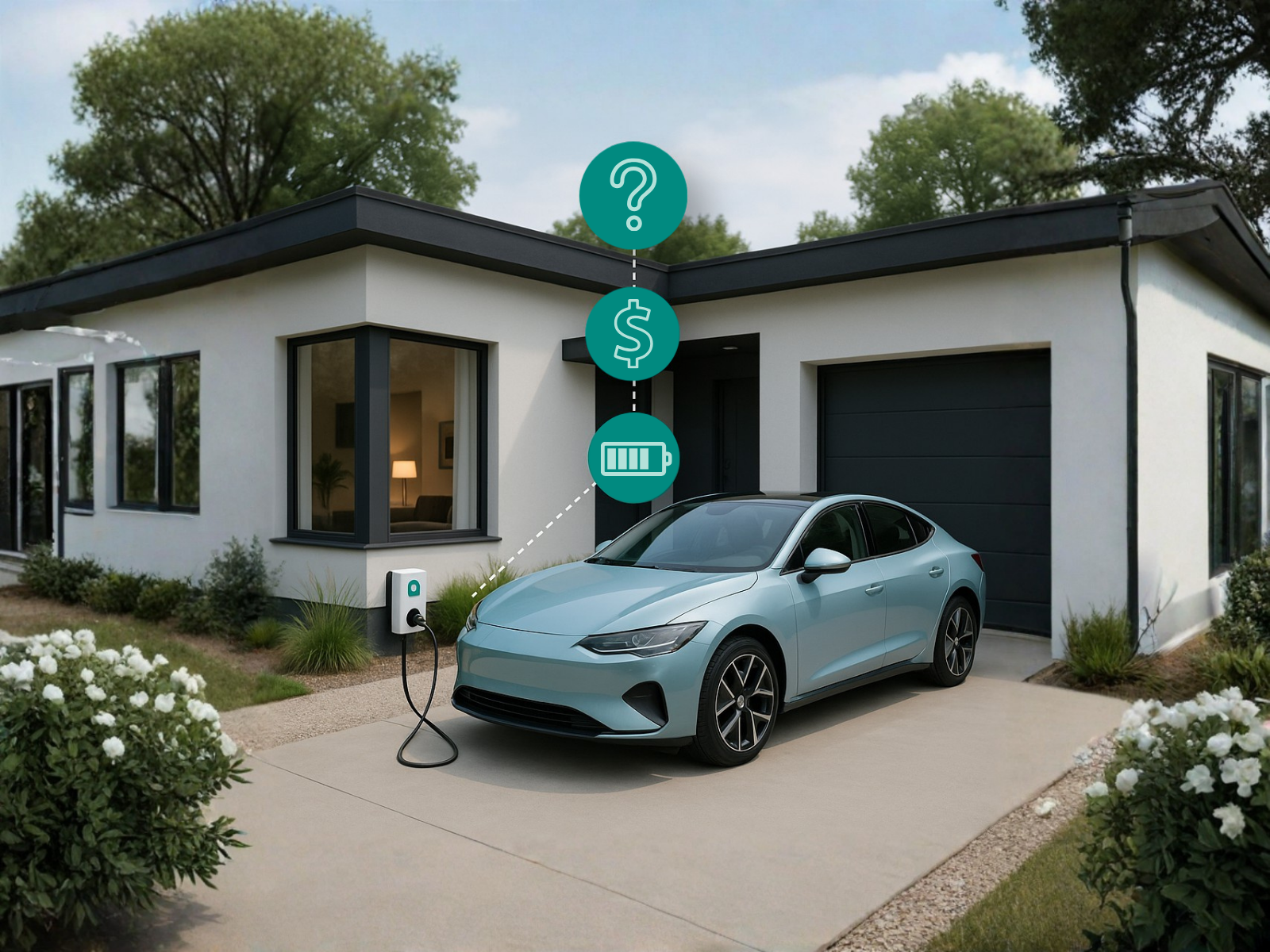
Tesla driver questioning the cost of home charging, showing the visibility gap that CAILO Connect solves with cost attribution and per-trip reporting
For Tesla Business Drivers

Your Tesla already captures every business trip. CAILO Connect unlocks it for you.

Whether you run a business with a small fleet, are a sole trader or a work-from-the-road employee, you get a tidy app that records every trip and keeps track of your expenses, all in one place.

Business with a small fleet

Your staff get their own login, classify their own trips and add their own receipts. You see every car live, in one place, to manage your fleet. No contracts, no telematics devices, or relying on mobile phones. Login on desktop to get the full fleet management experience.

Sole Traders

Your Tesla is your office on wheels. CAILO Connect keeps the records that show it. Every business trip records date, odometer, distance and purpose, and tolls, parking and charging dockets are kept with the trip they belong to.

Work-from-road employees

You drive between work sites, to client meetings, and to training events. CAILO Connect captures every work kilometre and charging cost automatically. A trip-by-trip record with odometer readings, ready for your tax agent to review.

CAILO Connect is an end to end logbook and expense tracker that takes the administrative pain out of your day. Let CAILO Connect work for YOU!

Simple Setup

How It Works

Three steps to automatic Tesla trip tracking and expense management.

1

Connect Your Tesla

Authorise CAILO Connect with your Tesla account. No hardware, no OBD dongles or hardwired devices, no vehicle modifications. Cloud-based and read-only.

2

Drive and Classify

CAILO Connect automatically captures every trip, charging session, and vehicle event in the background. Quick trip classification via notification, with optional category tags for richer reporting.

3

Export Anytime

Export a PDF or spreadsheet for any period you're asked for. Trip records, charging costs, and business kilometre reports in formats your accountant can use.

See how to connect to CAILO Connect →

More Than Just a Logbook

Are you a Tesla Enthusiast?

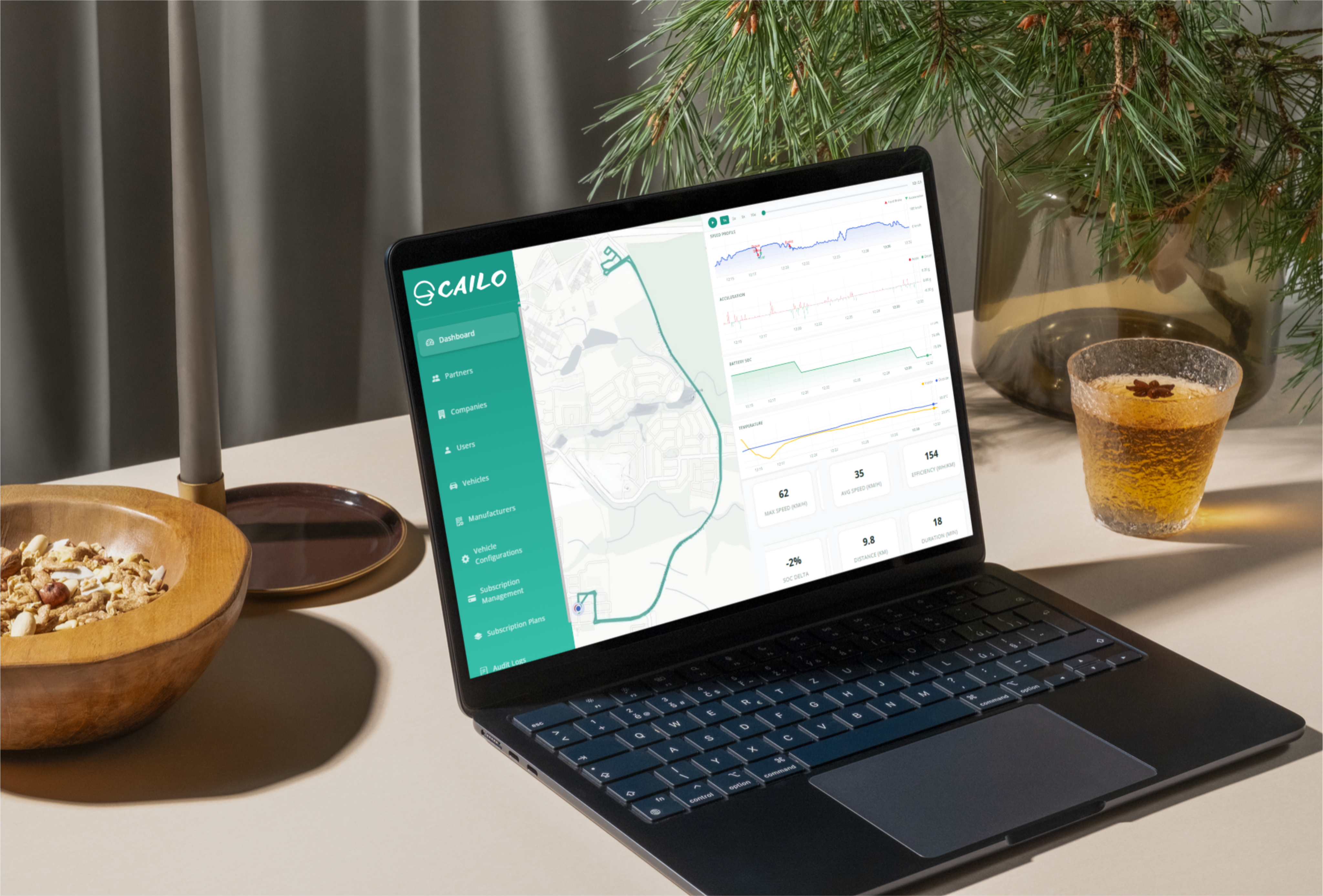
The CAILO Connect platform is everything your Tesla App is not. Dive into everything about your EV, from acceleration and speed review to trip history and replay, and charging session logs, all in one clean interface, desktop only.

  • Live vehicle data you can geek out on
  • Charging insights that help you optimise solar/off-peak
  • Trip replay that satisfies your “track everything” instinct
  • Tap into historical analytics that pure logbook apps don’t offer
  • Explore more data across your FSD journey
  • Smart home integration via Home Assistant, MQTT and Webhooks
Tesla enthusiast viewing the CAILO Connect dashboard with live battery, charging, and trip data, the ongoing companion for Tesla drivers beyond the logbook period
FAQ

Logbook and Records Questions

CAILO Connect connects to your Tesla through the official Fleet API. Every trip, charging session, and vehicle event is captured automatically in the cloud. At the completion of every trip you are notified to classify the trip or you can set and forget frequent trips. Then, you drive as normal and CAILO Connect records everything.

CAILO Connect captures the data points commonly recorded in a vehicle logbook: trip dates, start and end locations, distances, and odometer readings. The data is captured automatically from your Tesla’s telemetry, producing records that are more complete and accurate than any manual logbook. CAILO Connect records every trip continuously, including across a 12-week logbook period and beyond. CAILO Connect is a record-keeping tool, not tax or financial advice. We recommend confirming your specific situation with your accountant or tax agent.

Yes. Swipe a trip business or personal in the app, or classify a batch at once on the web. Business trips carry a purpose you choose, such as Client visit, and a saved place can classify the trips that end there for you. The trips report shows business use as a share of recorded distance.

A trip-by-trip record with the date, start and end address, distance, duration, start and end odometer, and the purpose you recorded, as a PDF or a CSV spreadsheet (it opens in Excel) for any period. Your tax agent decides how to use it.

Trip reports and charging reports as PDF or CSV for any date range, a receipts spreadsheet, and a one-zip download of everything, receipt images included. On the web, an export contains exactly what you have filtered on screen.

Yes. CAILO Connect works the same however you own or lease the car. It gives you odometer readings and home charging figures, in kWh and dollars, for whatever period your provider asks about.

Yes. Every charging session is recorded with the energy added (kWh), how long it took and how fast it charged. Tell CAILO what you pay per kWh at home, including peak and off-peak rates, and each home session is priced for you. Supercharger sessions show what Tesla billed, with the invoice PDF. Where a cost isn’t known, CAILO says not recorded rather than showing $0.00.

No. CAILO Connect is a cloud-based, read-only integration that uses Tesla’s official Fleet API. It does not install anything on your vehicle, does not modify any systems, and has no impact on your warranty or battery life.

Most mileage apps need you to check in at the start and end of every trip. They miss the trips you forget to log. CAILO Connect connects to your Tesla directly through the Tesla Fleet API, so every trip is captured automatically with detail (battery state, charging sessions, full route data) no phone-based app can match.

Got a question we haven’t answered? See all CAILO Connect FAQs →

Ready to Stop Keeping Manual Logbooks?

Start with a free trial. Everything in one tidy export to share with your accountant.